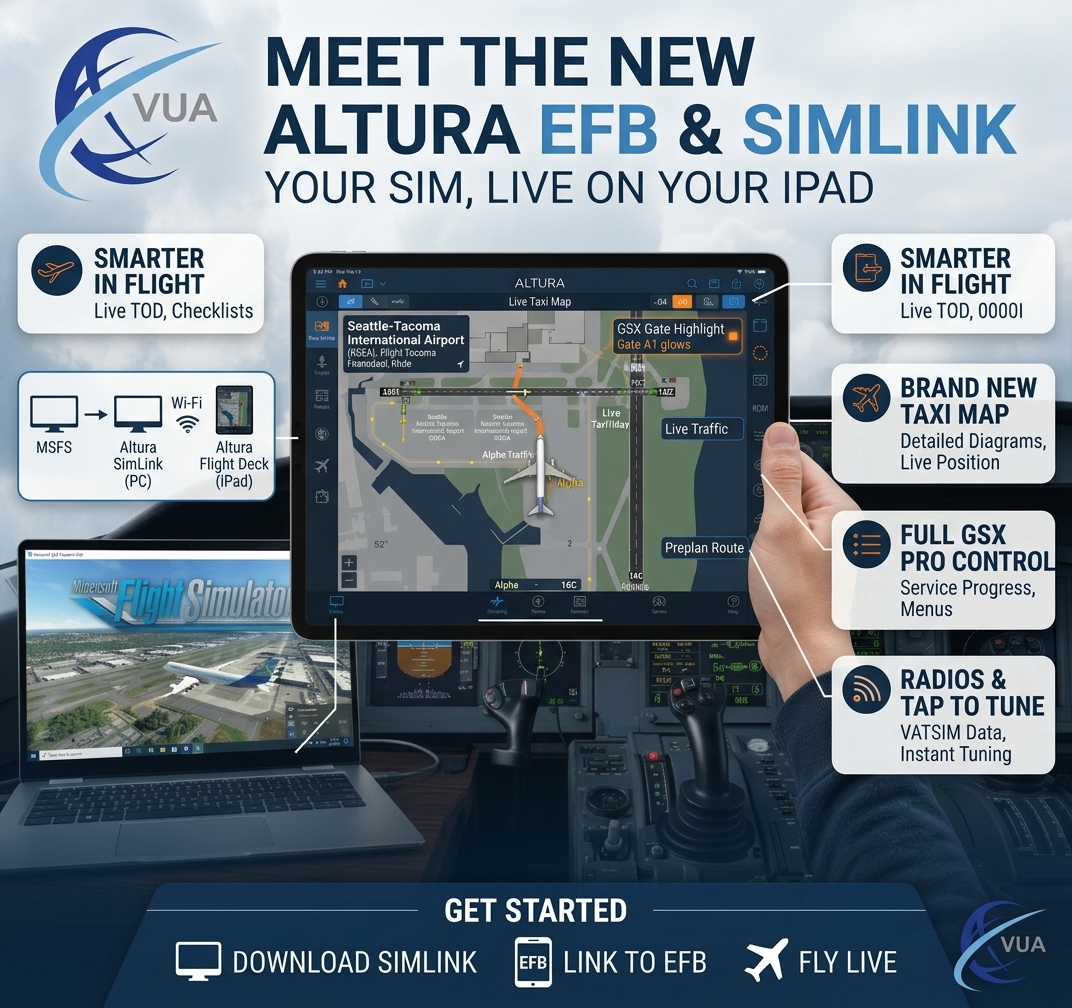
The Altura EFB just got its biggest update yet. Flight Deck now talks directly to your simulator through Altura SimLink, a small free companion app for MSFS. That means live data, smarter briefings, a brand new Taxi map and full GSX Pro control, right from your iPad or second screen. Here’s what’s new.
Smarter in flight
- Live TOD countdown: the Overview banner counts down to your next climb, step or descent point in nautical miles, along your actual route. It allows for the approach and tells you when it’s time to descend.
- Faster OFP: jump straight to any OFP section, from weather to fuel, in the Docs tab.
- OOOI times: out, off, on and in are recorded straight from the sim. No more writing them down.
- Proper flight levels: altitudes show as FL above transition and feet below, just like the real thing.
- Smart checklist: items like lights, brakes, flaps and gear tick themselves when the sim shows them done.
- Live weather at the aircraft: wind, temperature and QNH where you are right now.
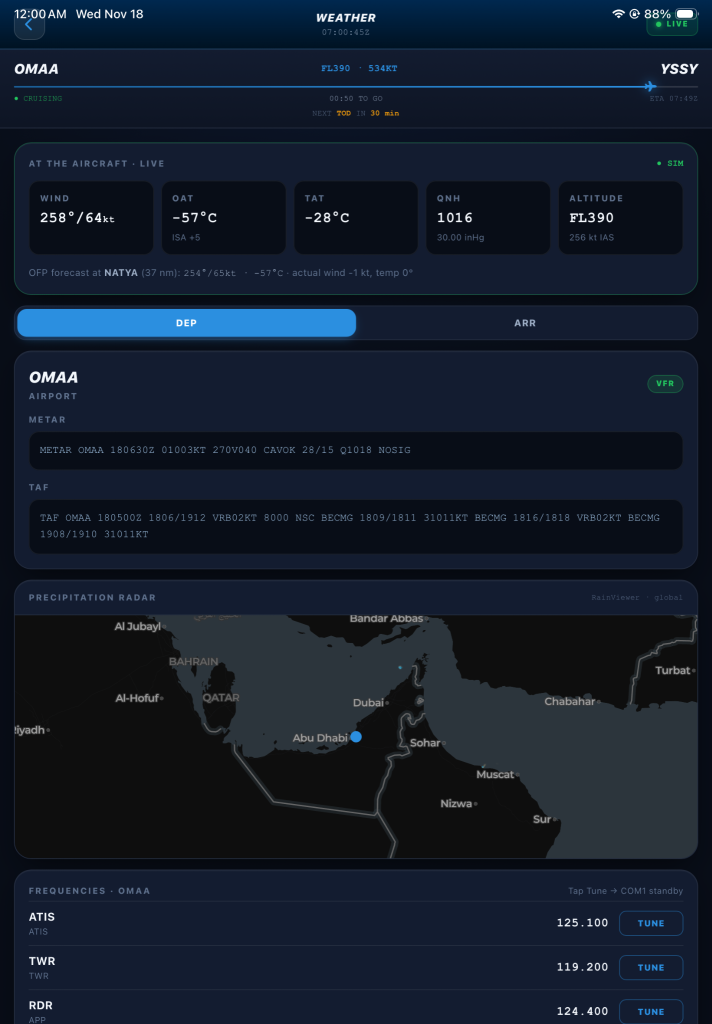
A brand new Taxi map
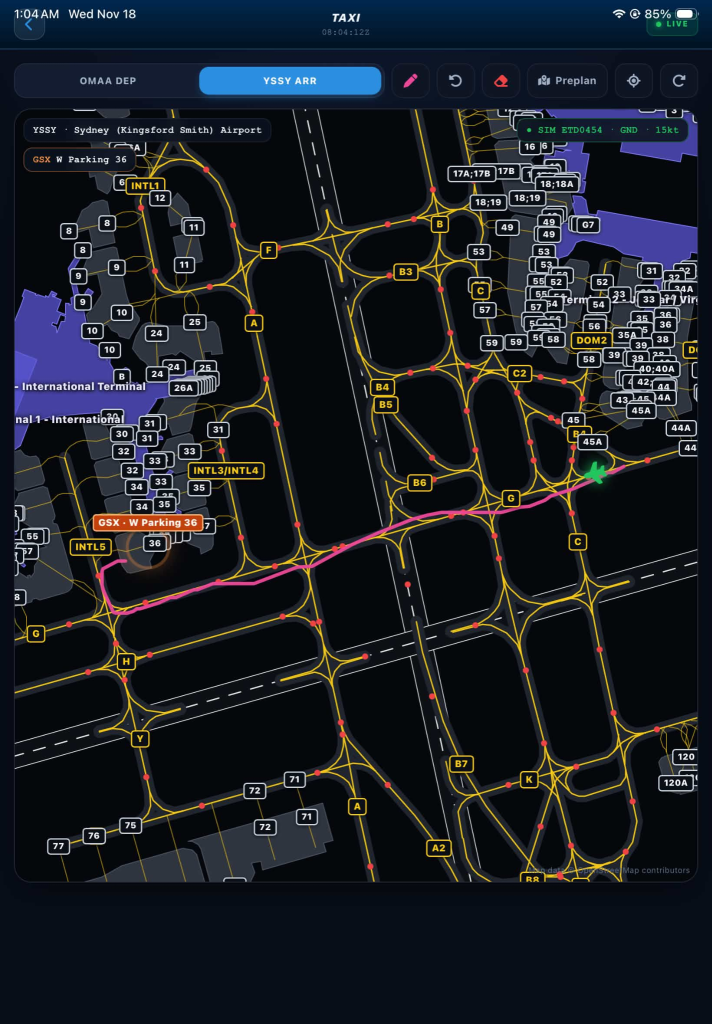
- Detailed airport diagrams: the new Taxi app draws your departure and arrival airports with runways, labelled taxiways, gates and hold short points.
- Live aircraft position: your aircraft moves on the map as you taxi, and the map follows you.
- Preplan: tap Preplan to look over your destination airport while you’re still in cruise.
- Draw your taxi route right on the map. It sticks to the taxiways and is saved for that airport.
- GSX gate highlight: with GSX Pro, your assigned gate glows orange on the map, using its exact position from the sim.
GSX Pro
- Run GSX from your iPad: GSX’s full menu on your iPad, one tap per choice. No more fumbling in the sim.
- Live service progress: watch boarding, deboarding, catering, refuelling, pushback and de-icing as they happen, with passenger and cargo counts as they load.
Radios and tap to tune
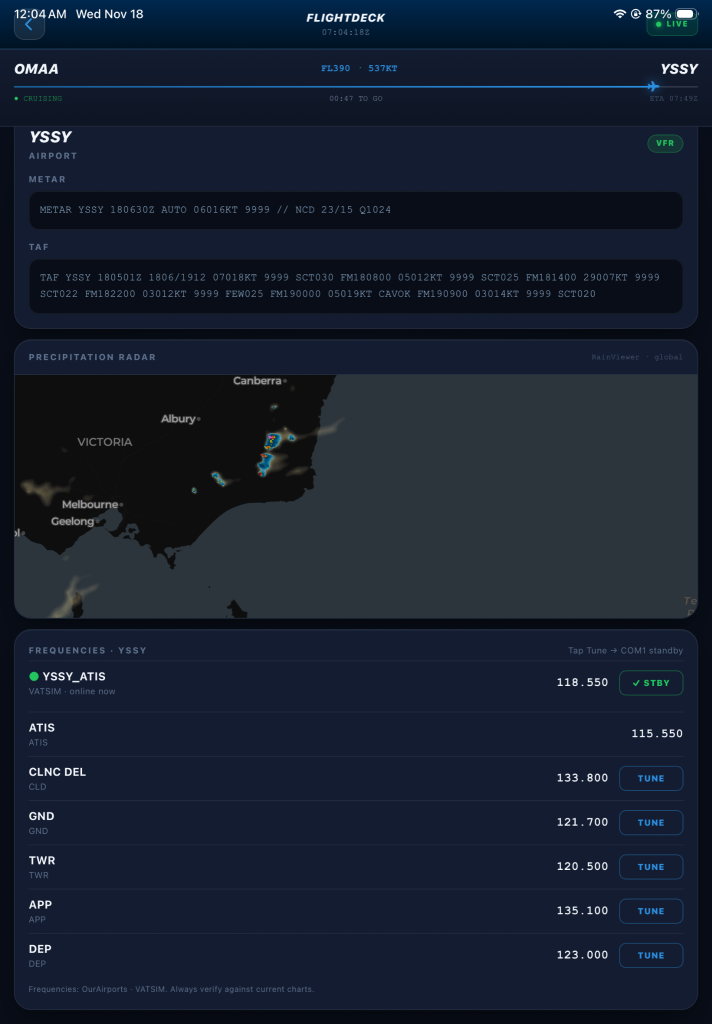
- Airport frequencies, plus the VATSIM controllers online right now.
- Tap to tune: tap any frequency and it’s set in your COM1 standby. SimLink even reads the radio back to confirm it took. It works in most study-level aircraft, including PMDG and Fenix.
Altura SimLink
- A small, free Windows tray app for MSFS that links your sim to Flight Deck, so everything runs on live data.
- Easy setup: install it, then enter the link code from Flight Deck’s Settings app. That’s it.
- Runs quietly: it can start with Windows or MSFS and sits in your tray.
- Stays reliable: if SimLink isn’t running, Flight Deck falls back to vAMSYS ACARS.
Get started
- Download and install Altura SimLink on your MSFS PC from vUA Altrua SimLink.
- Open Flight Deck at efb.flyvua.org and go to Settings for your link code.
- Enter the code in SimLink and start your sim. That’s it!
See you in the skies, and let us know what you think!
About the Author